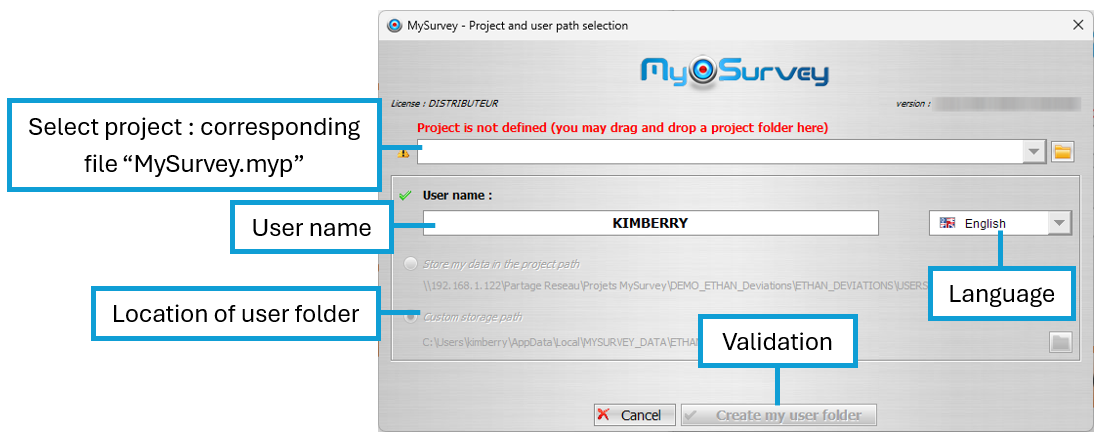
This MySurvey launch window allows you to select the project to be opened. To do this, drag and drop the project data folder containing MySurvey.myp and the DATA folder onto the dedicated space. Alternatively, you can select the MySurvey.myp file directly from the tree by clicking on the button  .
.
The user name can be modified. The default is the login of the current Windows session.
MySurvey's language can be selected via this window. It can be changed later via the configuration window.
The configuration file defines the location of the default user folder. If this file does not prevent it (choice available and not grayed out), the location can be changed by the user.
Was this article helpful?
That’s Great!
Thank you for your feedback
Sorry! We couldn't be helpful
Thank you for your feedback
Feedback sent
We appreciate your effort and will try to fix the article